
Spot priorities
Bring overdue tasks, client activity, pipeline changes, meetings, and invoices into a clear view of what needs attention now.
Move between clients, workflows, pipeline, invoicing, accounting, and Flow SI Super Intelligence without rebuilding context or losing the next action.
Connected modules
Every page is designed to lead back to the relationship, the source record, and the next action instead of creating another disconnected list.
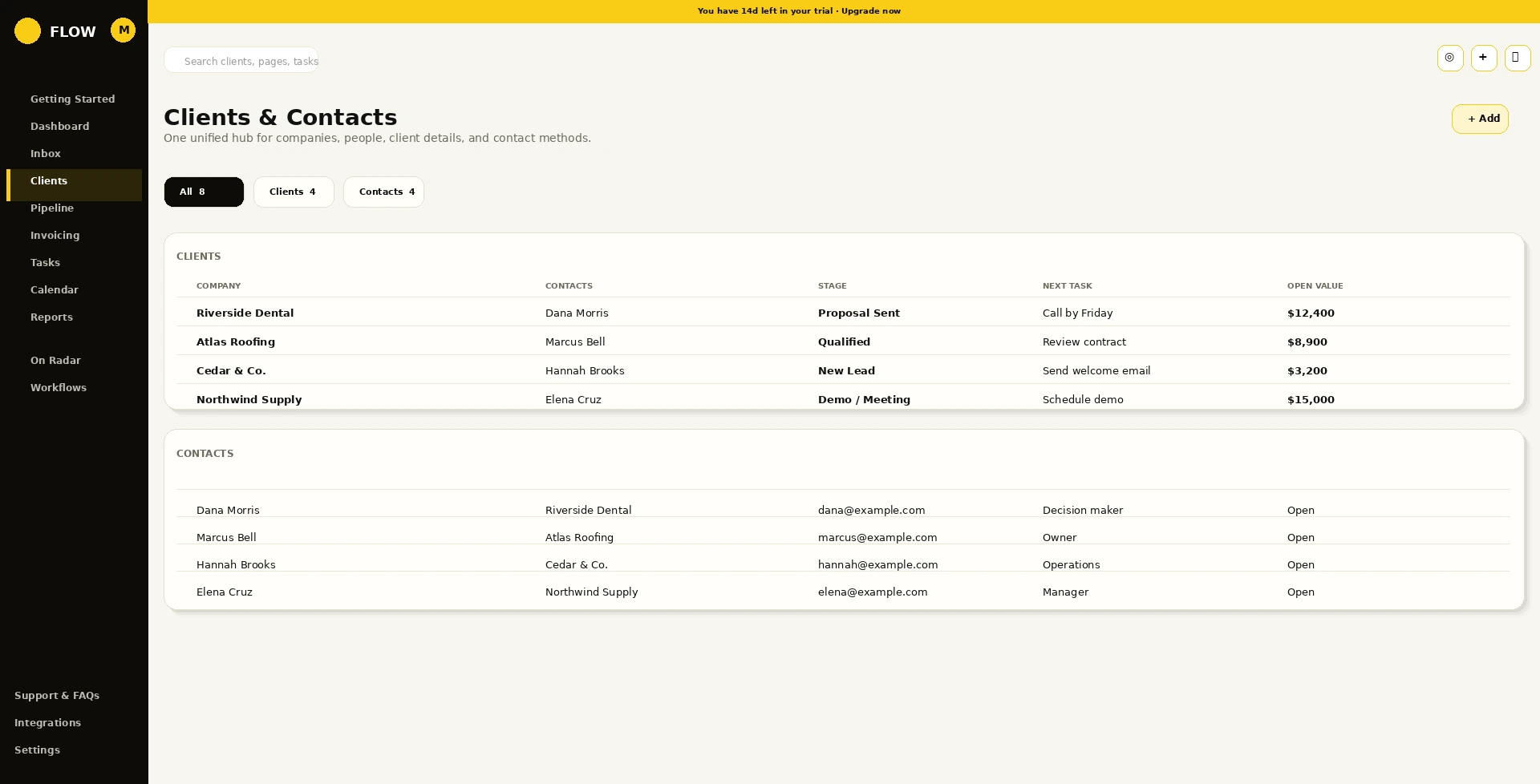
Client cards, contact records, labels, notes, files, and relationship history stay connected in one workspace.
Flow SI · Super Intelligence
Flow SI is the Super Intelligence layer inside Flow. It uses the connected context already in your workspace to help your team see what matters, understand why, and prepare the right next step.
Bring overdue tasks, client activity, pipeline changes, meetings, and invoices into a clear view of what needs attention now.
Answer questions using the relationship between records, conversations, tasks, notes, payments, and activity—not a single disconnected screen.
Draft follow-ups, create task plans, summarize workspace activity, surface reports, and propose record updates for your review.
Hand off an approved next step to the right owner or workflow while preserving the client record and the history behind it.
Integrations
Connect email, calendars, meetings, files, and communication activity while Flow remains the shared workspace for the client relationship.


Start with a 14-day Flow Pro trial, connect the work your team already manages, and keep every next step in one place.